CORS stands for Cross-Origin Resource Sharing. It is the browser rule that decides whether JavaScript running on one origin may fetch resources from another origin. HLS playback touches several resource types: the main manifest, variant playlists, media segments, subtitles, and sometimes encryption keys. If any of those endpoints returns the wrong headers, playback can fail even when the URLs are technically alive.
Known-good CORS response used for comparison
We requested the public Mux master playlist with Origin: https://freem3u8.com. The response returned HTTP 200 and Access-Control-Allow-Origin: *; the browser-side inspector then classified it as a master playlist with five variants on one hostname and no parser warnings. Use that response pattern as a baseline, while applying stricter origin rules for credentialed streams.
Why the error appears only in the browser
Tools like VLC, ffmpeg, or native mobile players do not enforce the same web security policy as a browser. That is why a stream may look healthy in one environment and still fail on a normal webpage. A browser-based player is useful precisely because it reproduces that client-side restriction.
The headers that matter most
Access-Control-Allow-Originshould allow the requesting site or use*when appropriate.Access-Control-Allow-Methodsshould support the methods the browser uses.Access-Control-Allow-Headersmay matter when custom headers are involved.- If credentials or cookies are part of the request, wildcard rules may no longer be sufficient.
A minimal public-stream header example
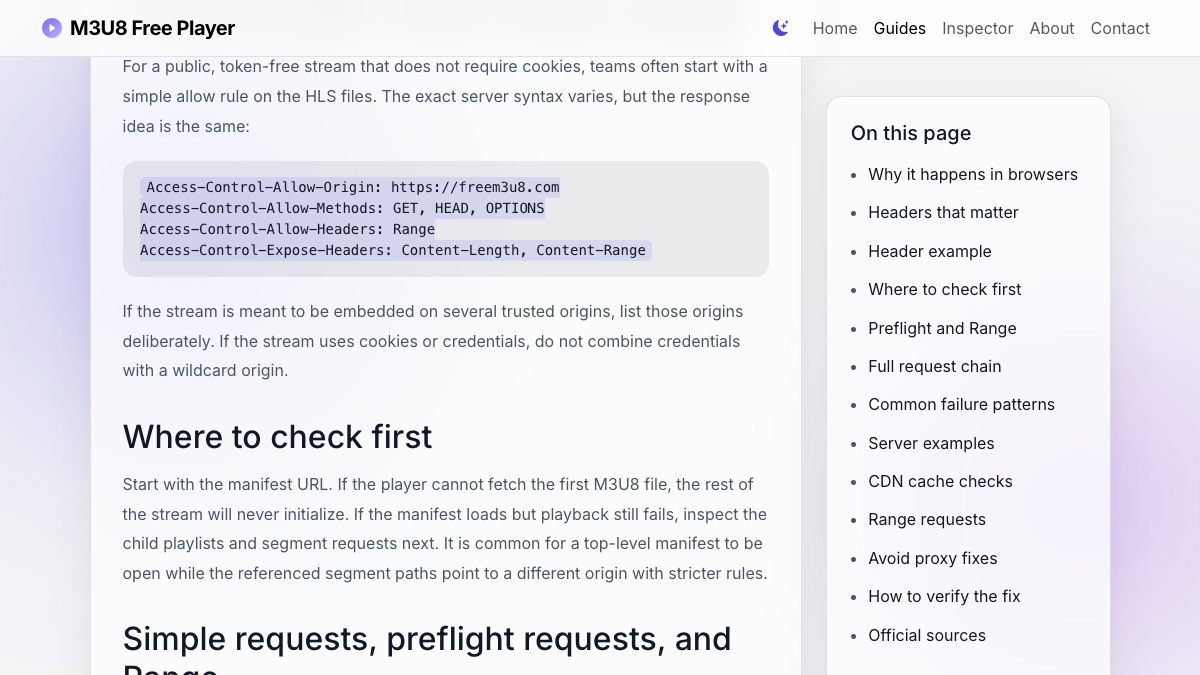
For a public, token-free stream that does not require cookies, teams often start with a simple allow rule on the HLS files. The exact server syntax varies, but the response idea is the same:
Access-Control-Allow-Origin: https://freem3u8.com
Access-Control-Allow-Methods: GET, HEAD, OPTIONS
Access-Control-Allow-Headers: Range
Access-Control-Expose-Headers: Content-Length, Content-Range
If the stream is meant to be embedded on several trusted origins, list those origins deliberately. If the stream uses cookies or credentials, do not combine credentials with a wildcard origin.
Where to check first
Start with the manifest URL. If the player cannot fetch the first M3U8 file, the rest of the stream will never initialize. If the manifest loads but playback still fails, inspect the child playlists and segment requests next. It is common for a top-level manifest to be open while the referenced segment paths point to a different origin with stricter rules.
Simple requests, preflight requests, and Range
Some HLS requests are simple GET requests, while others can trigger a browser preflight depending on headers, credentials, or player behavior. A preflight request uses OPTIONS to ask the server whether the actual request is allowed. If your server returns correct headers for GET but rejects OPTIONS, the media request can fail before the segment is downloaded.
Range handling is another common blind spot. Media players may request only part of a file, especially for fragmented MP4 or seek operations. If the browser sends a Range header and the server does not allow or expose the related response headers, debugging can look inconsistent: the manifest is readable, but playback or seeking still breaks.
Check the full HLS request chain
Main manifest
The first request decides whether the player can even parse available renditions.
Variant playlists
Each quality level can live on a different path or CDN hostname with separate headers.
Segments
Playback can fail after parsing if .ts or fragmented MP4 segment requests are blocked.
Keys and subtitles
Encrypted streams and captions add extra requests that need the same browser access review.
Common real-world patterns
One frequent mistake is generating signed segment URLs from a CDN domain that does not return the same headers as the main API domain. Another is allowing GET on the manifest but forgetting that the browser may still reject downstream requests because the segment origin responds differently.
If one layer of the HLS request chain is blocked, the player will surface the symptom at playback time even though the first URL may appear healthy.
Server and CDN configuration examples
The exact syntax depends on your stack, but the browser needs the same basic outcome: the manifest, variants, segments, subtitles, and keys must all return compatible cross-origin headers.
# Nginx location example for public HLS files
location /hls/ {
  add_header Access-Control-Allow-Origin "https://freem3u8.com" always;
  add_header Access-Control-Allow-Methods "GET, HEAD, OPTIONS" always;
  add_header Access-Control-Allow-Headers "Range" always;
  add_header Access-Control-Expose-Headers "Content-Length, Content-Range" always;
}
For S3 or S3-compatible storage, configure CORS on the bucket rather than on the webpage using the player. For CDN setups, confirm that the CDN forwards or sets headers on every HLS object type, not only on .m3u8 files.
CDN cache and header propagation checks
After changing CORS settings, make sure the CDN is actually serving the new headers. Many teams update origin configuration and then keep receiving cached segment responses without the new policy. Check the response headers on the public CDN URL, not only on the origin storage URL. If the CDN has separate behaviors for .m3u8, .ts, .m4s, subtitle files, or key files, verify each behavior separately.
- Purge or revalidate cached manifests and representative segment files after a header change.
- Confirm redirects do not move the request to a hostname with different CORS rules.
- Test both the top-level manifest and at least one child playlist or segment URL.
- Compare headers in a normal browser session and an incognito session to catch credential assumptions.
Range requests and exposed headers
Some media flows use byte-range requests. If your CDN strips request or response headers related to ranges, playback can fail even when the manifest is readable. When debugging, compare the response headers for the manifest, a child playlist, and an actual segment URL.
- Allow
GET,HEAD, andOPTIONSwhere preflight requests are possible. - Do not rely on a header rule that applies only to HTML pages.
- Expose
Content-LengthandContent-Rangewhen the player needs to inspect media range behavior. - Keep credentialed streams separate from public wildcard CORS rules.
Avoid masking the problem with random proxies
A public CORS proxy may make a test pass temporarily, but it usually introduces privacy, reliability, cache, and abuse problems. For production playback, fix the headers at the stream origin or CDN edge so the browser receives the correct policy directly from the resource owner.
How to test the fix
After adjusting server headers, return to the live player and test the exact stream again. If the manifest now loads and quality options appear, the top-level access issue is likely resolved. If the player still fails later, move down to segment-level debugging or codec compatibility.
Keep the browser network panel open during the retest. The useful signal is not only whether playback starts, but which request changes from blocked to successful. A correct fix should make the manifest, selected child playlist, and first few media segments return compatible headers from the same origins your real visitors will use.
Browser and CDN references
- MDN: Cross-Origin Resource Sharing documents simple requests, preflight requests, credentials, and response headers.
- MDN: missing Access-Control-Allow-Origin describes the browser error caused by an absent allow-origin header.
- Cloudflare CORS cache documentation explains header propagation and why cached assets may retain old CORS headers after an origin change.